Running backtests
Use one reproducible setup across every symbol, while PineBag handles the repetitive work inside your TradingView tab.
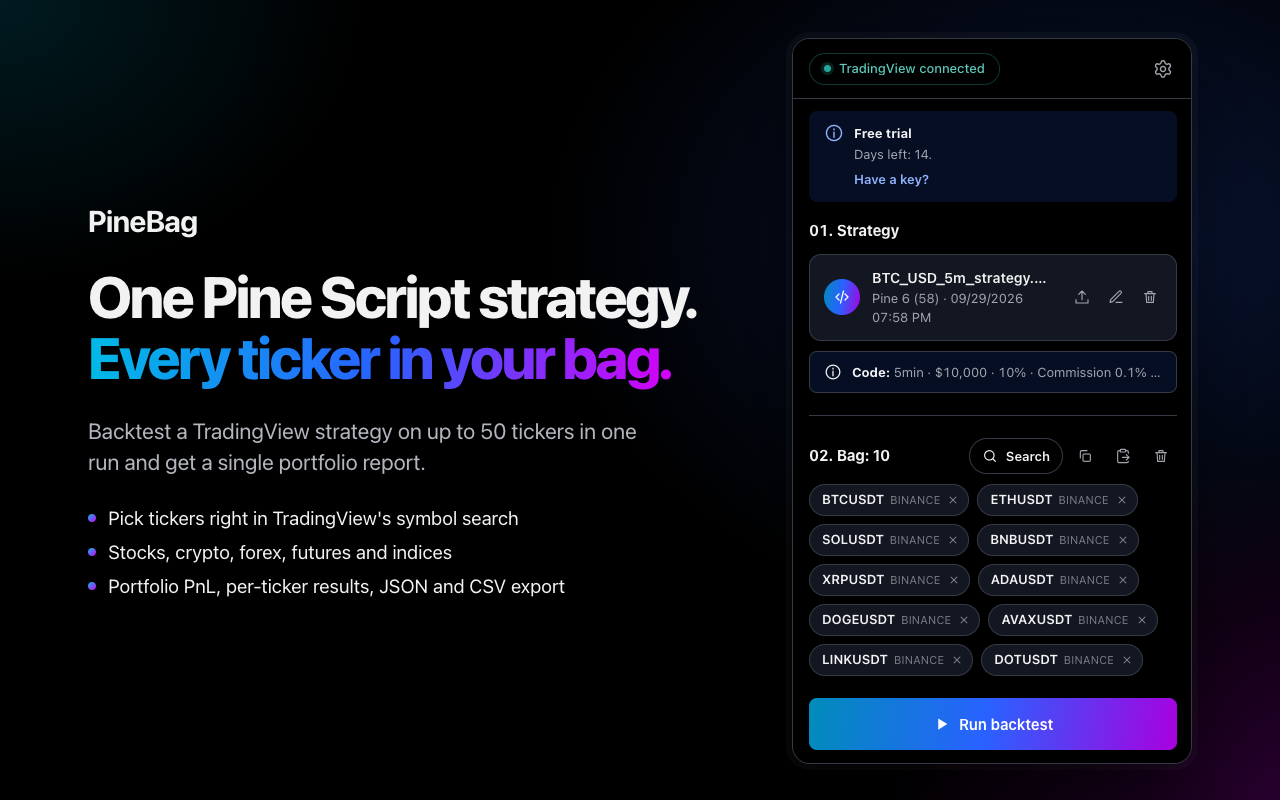
Build the bag
Add symbols with TradingView search or paste a line-separated or comma-separated list. Include exchange prefixes where ambiguity is possible, for example NASDAQ:AAPL or BINANCE:BTCUSDT.
- Maximum: 50 symbols per run.
- Supported: stocks, crypto, forex, futures, indices and other TradingView symbols.
- Market data and delayed quotes still follow your TradingView account entitlements.
Resolve strategy settings
PineBag needs a consistent timeframe, initial capital, order size and commission. When a value exists both in the script and TradingView Properties, choose which source has priority before you start.
Choose the history mode
Chart history
Uses up to 5,000 bars loaded on the chart and works with any TradingView plan. Different symbols may begin on different calendar dates if their available history differs.
Exact shared date range
Uses TradingView Deep Backtesting so every symbol is measured across the same interval. This requires a TradingView plan that provides Deep Backtesting, currently Premium or higher.
Start and monitor the run
- Confirm the strategy and bag.
Check the filename, timeframe, capital and symbol count. - Select the history mode.
Use chart history for fast compatibility or an exact range for aligned periods. - Choose Run backtest.
Keep the TradingView tab open while PineBag processes symbols sequentially. - Review warnings.
A failed symbol is identified without hiding the results already collected. - Open the report.
The completed result is stored locally with its strategy version.
Limits and safe use
The trial allows 50 runs per day. PineBag Pro allows 300. A “run” is one portfolio job, even when the bag contains many symbols. Do not reload or close the TradingView tab during processing.